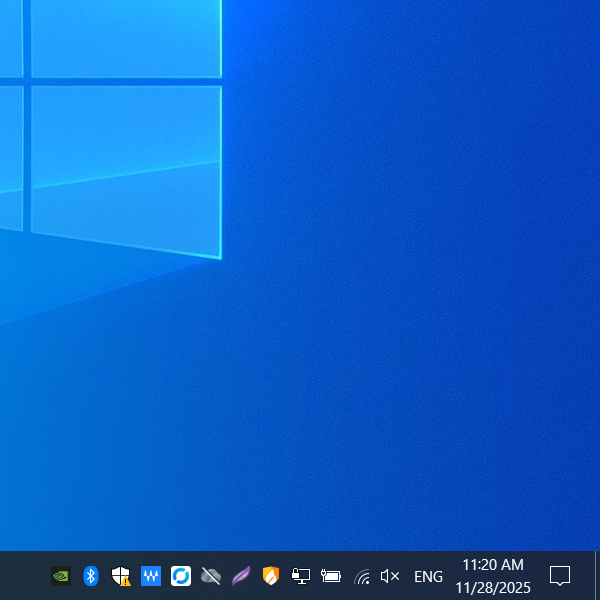
Battery: (Laptop only) Displays the remaining charge and percentage. You can usually select a power plan (e.g., "Best performance" vs. "Longer battery life").
Wi-Fi:
Connection: Click the network icon > select the desired Wi-Fi name > enter the password.
Troubleshooting: If the Wi-Fi password has changed and you cannot connect, right-click the network name and select "Forget" to clear the old credentials, then attempt to reconnect.
The system tray icons give you at-a-glance status for battery, network, sound, and background apps.
Volume: Click the speaker icon to adjust the overall system master volume using the slider. Right-clicking allows you to open the "Volume Mixer" to control individual application volumes.
Input Method: Shows the current keyboard layout, such as "EN" (English) or "CH" (Chinese). Clicking it allows quick access to language preference settings.
Clock (Adjust Date/Time): Click to view the calendar. It is strongly recommended to right-click and ensure "Set time automatically" is enabled to maintain accurate time synchronization.