- Select which icons appear: Allows you to control which small application icons are directly visible on the taskbar and which are hidden in the overflow menu (the small
^arrow). - Action Center (Notification Panel): Accessed by clicking the speech bubble icon on the far right. It centralizes system messages (updates, email alerts) and offers Quick Actions (e.g., adjusting brightness, turning on/off Bluetooth or Wi-Fi).
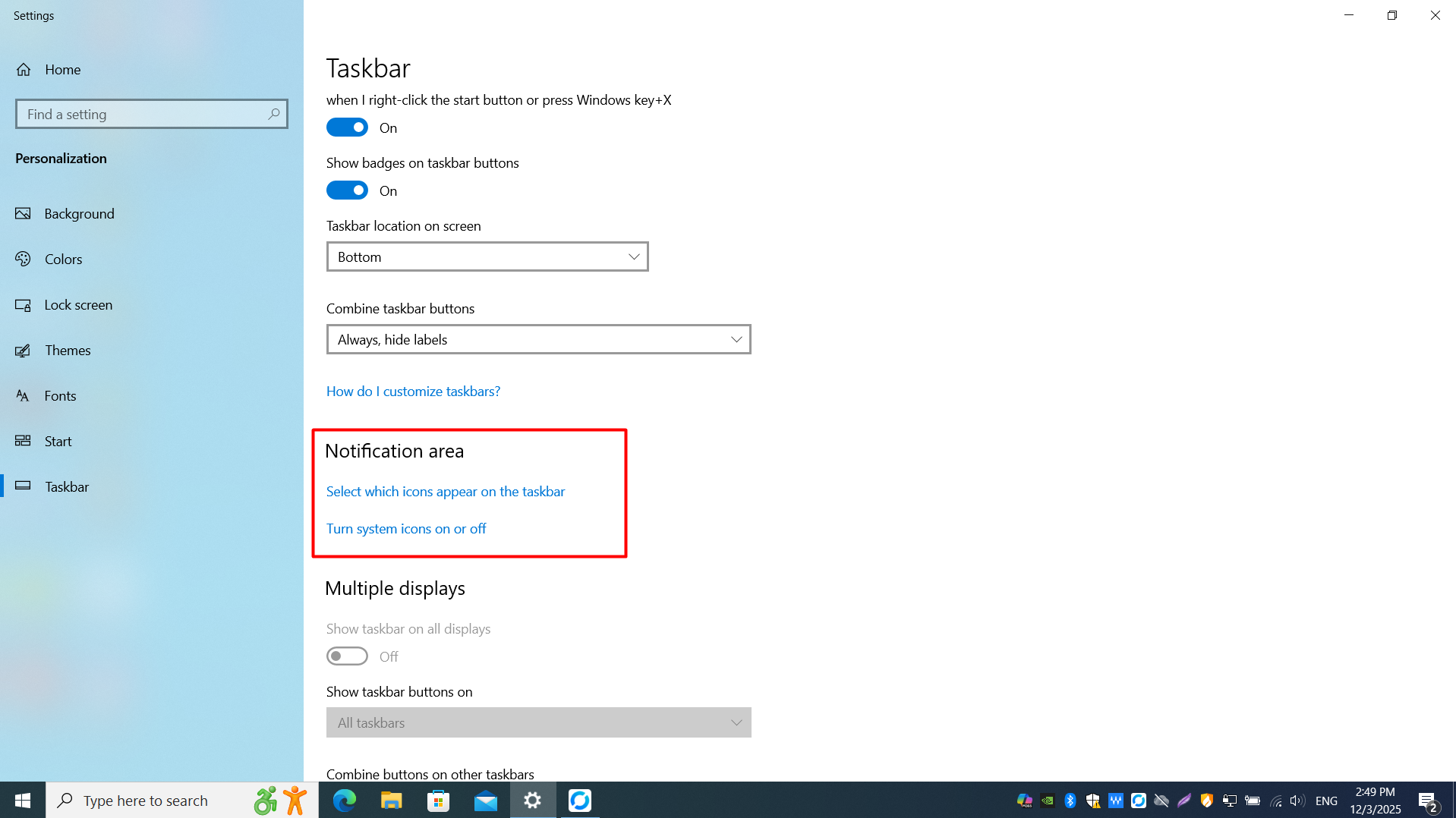
The Notification Area shows status icons for running apps and background services. Click the ^ arrow to reveal hidden icons.
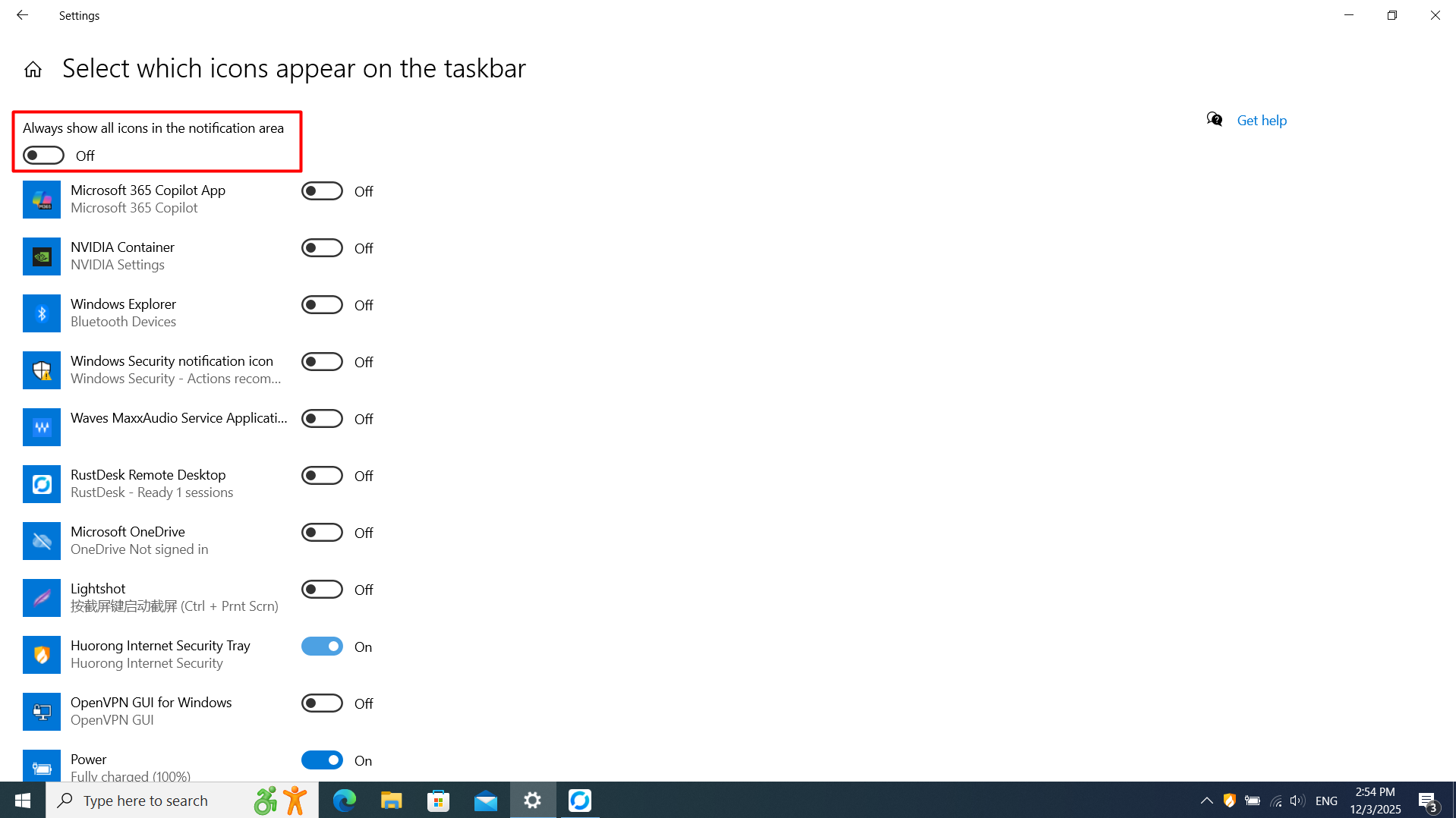
Use notification area settings to choose which app icons are always visible on the taskbar and which stay in the overflow.
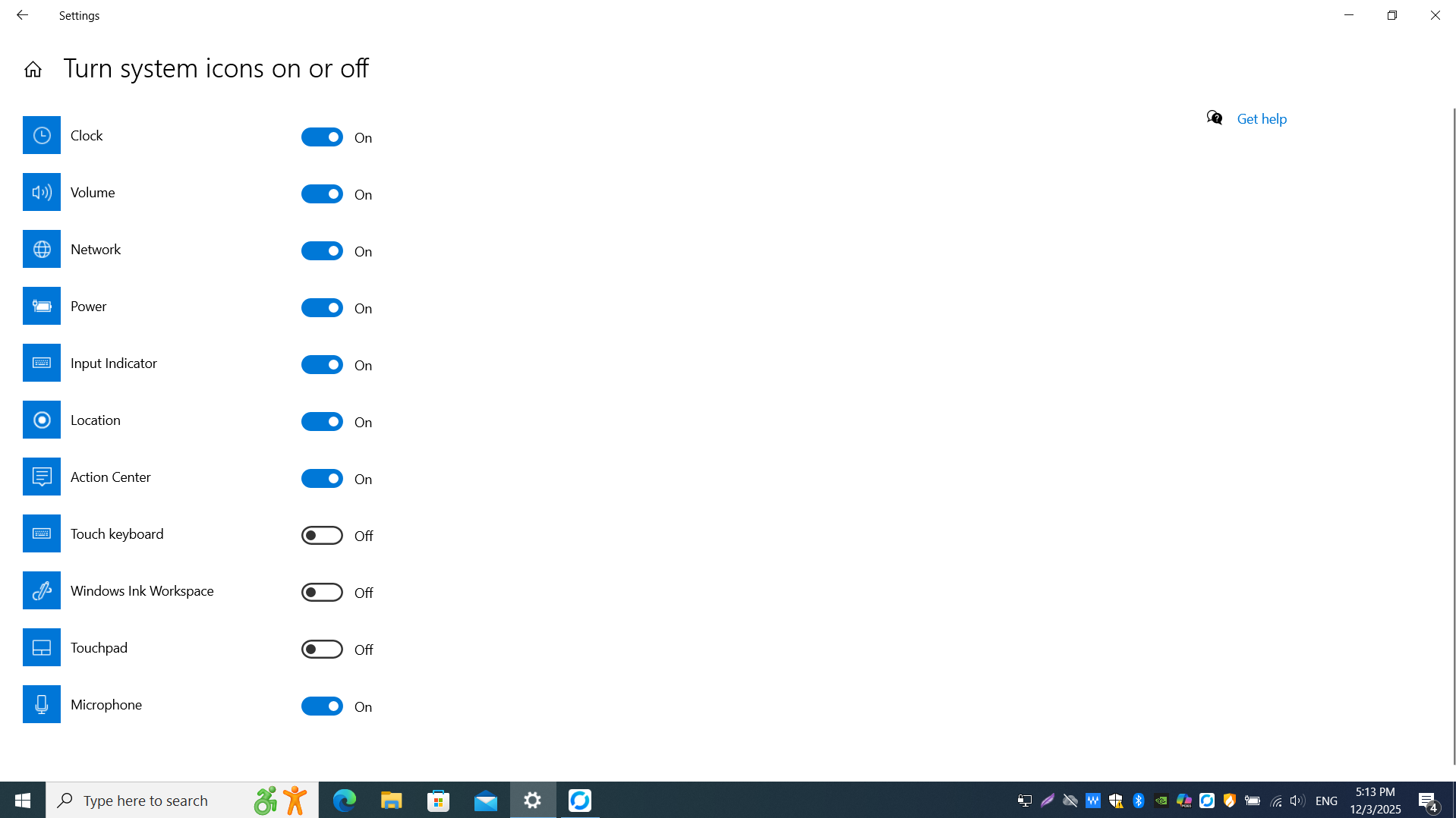
Turn built-in system icons (clock, volume, network, power, etc.) on or off for the notification area.