- Lock the taskbar: Prevents accidental dragging of the taskbar to a different screen edge (top, left, or right) or resizing.
- Automatically hide the taskbar: The taskbar retracts when not in use, only reappearing when the mouse hovers over the screen edge, thus maximizing the screen display area.
- Combine taskbar buttons: Controls how running windows are grouped:
- Always, hide labels: Shows only icons (cleaner look).
- Never: Shows the program icon and name (more intuitive for identifying multiple open windows of the same application).
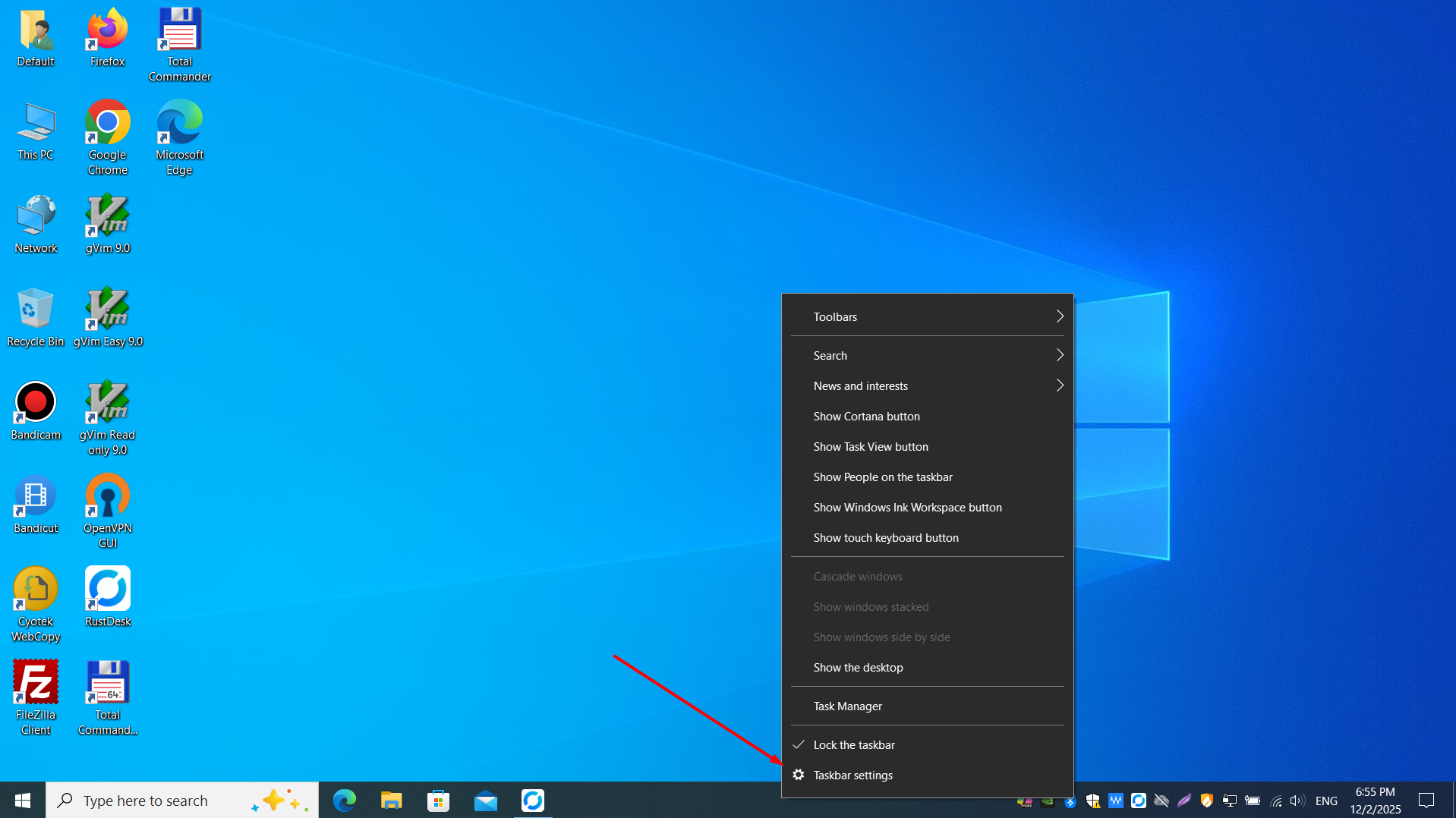
Right-click the taskbar to open the context menu and access common customization options.
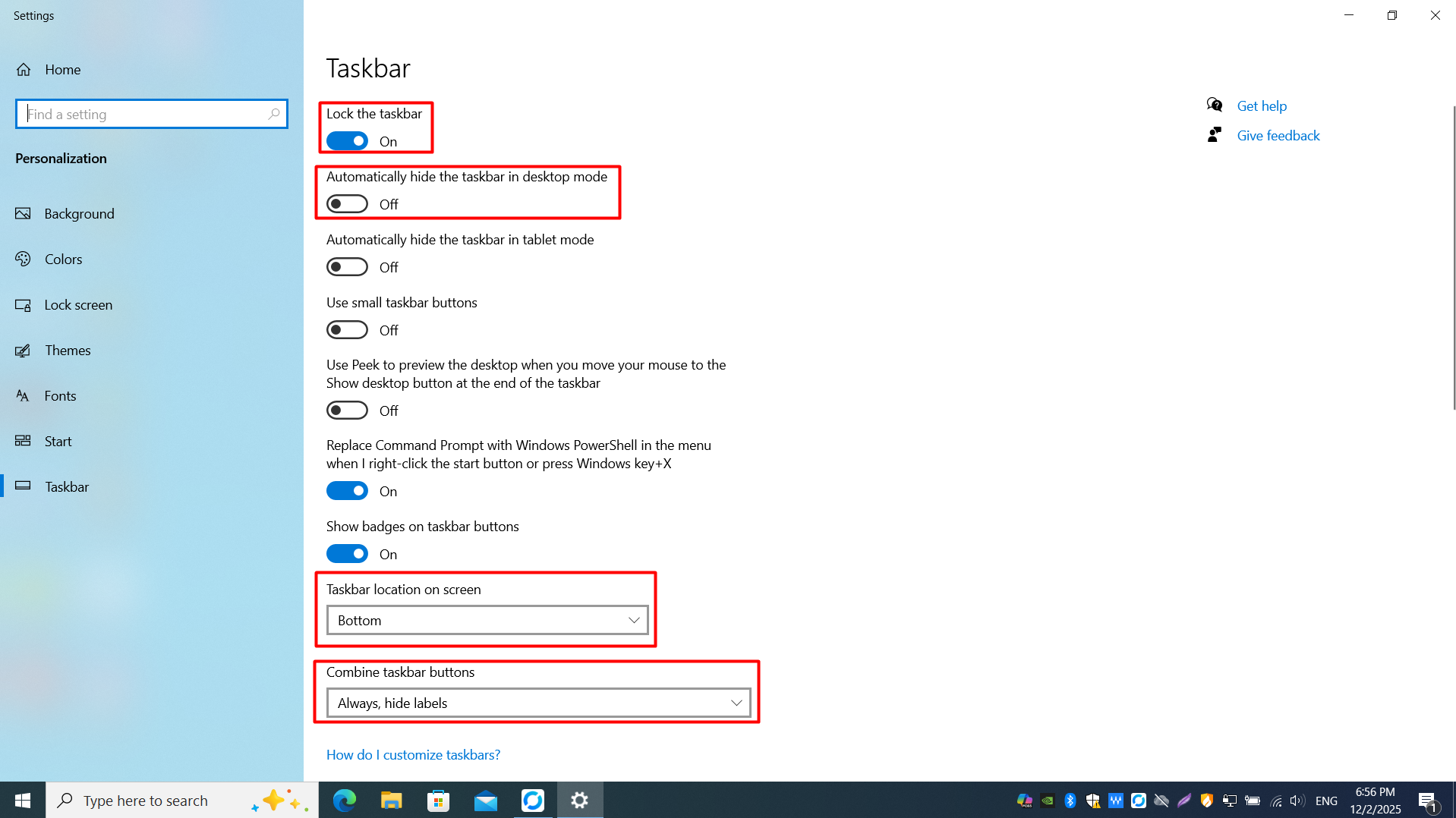
Use taskbar settings to lock the taskbar, auto-hide it, and configure how taskbar buttons are combined.