- Why is direct folder deletion wrong?
Simply deleting the software folder is incorrect! The program leaves behind numerous residual system files, especially in the registry, which can accumulate over time and negatively impact system speed and stability.
- Correct Uninstallation Steps (Recommended):
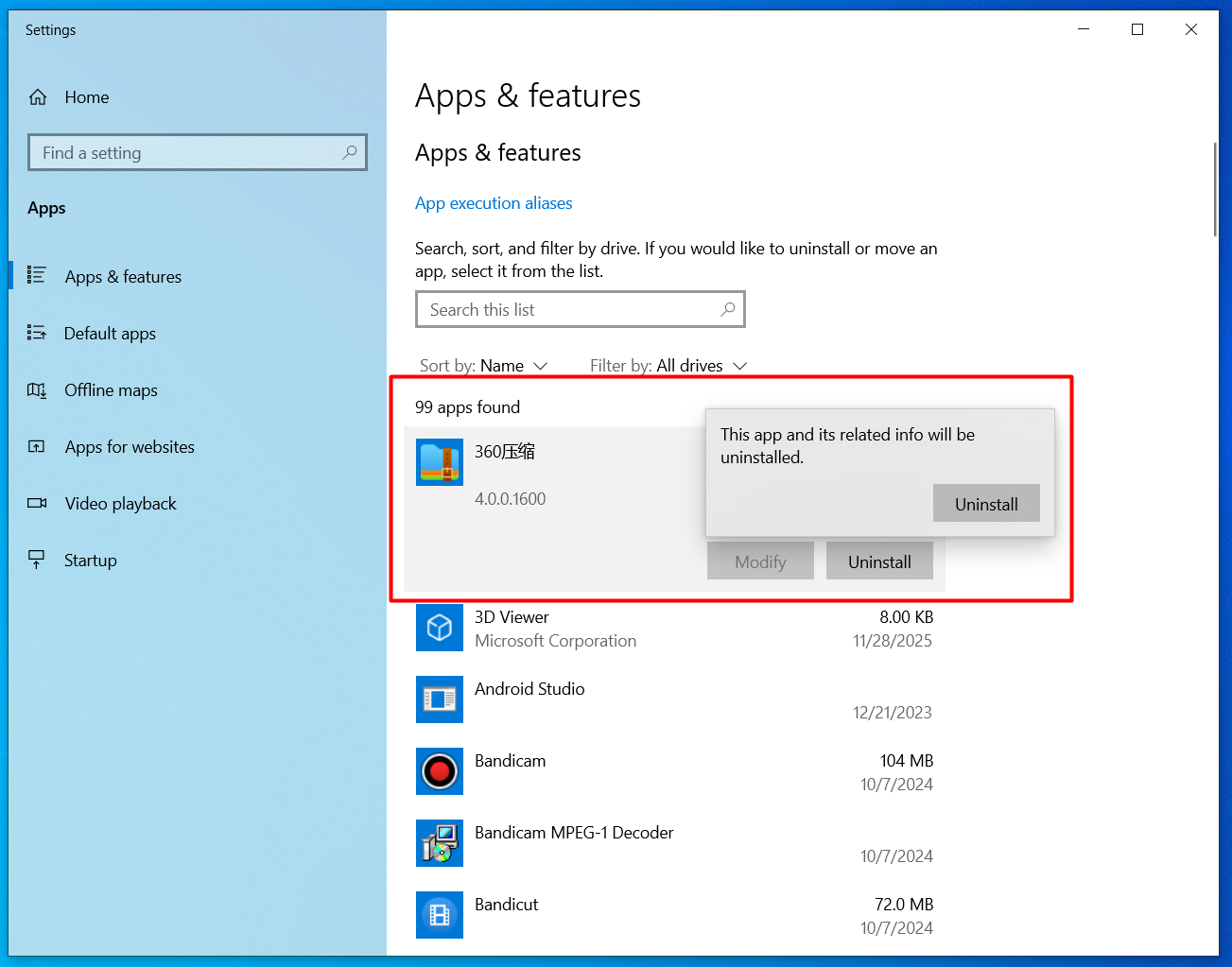
- Navigate to the Apps & features list (as described in point 1 of this section).
- Locate the software you wish to remove and click on it.
- Click the "Uninstall" button.
- Follow the instructions provided by the pop-up uninstallation wizard to complete the clean removal.
- Advanced Uninstallation: For particularly stubborn or poorly programmed software, you may resort to third-party uninstaller tools (like Revo Uninstaller) to ensure all residual files are purged.