- How to Access: Start Menu > Settings (gear icon) > Apps > Apps & features.
- Main Function: This is the authoritative list of all software installed on your PC and the only correct place to manage and uninstall programs.
- Management: Use the filtering and sorting options (by name, installation date, or size) to identify recently installed programs or those consuming the most disk space.
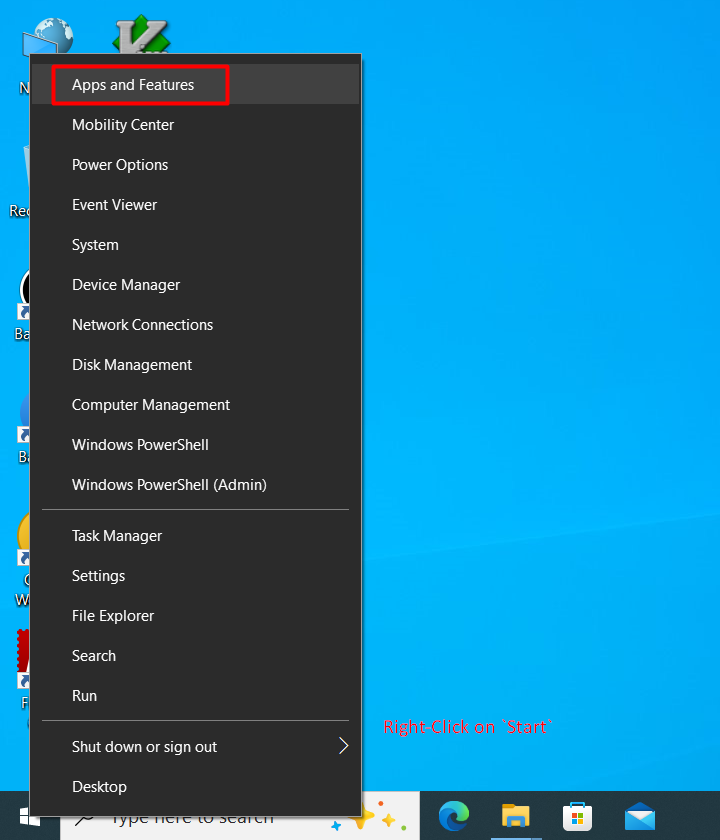
Access Apps & features from Start Menu > Settings > Apps to view all installed software on your PC.
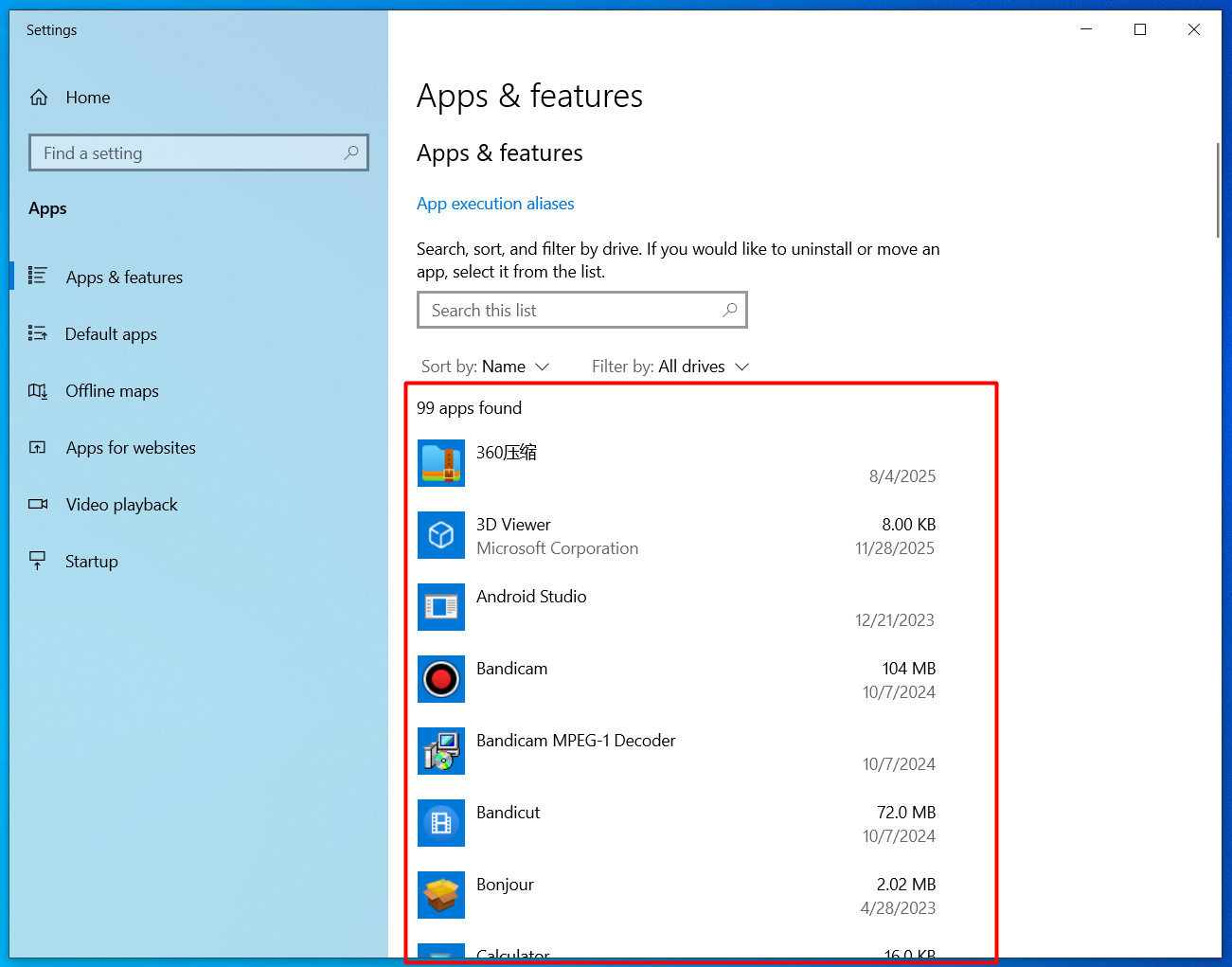
The Apps & features list shows all installed programs with options to sort by name, installation date, or size.
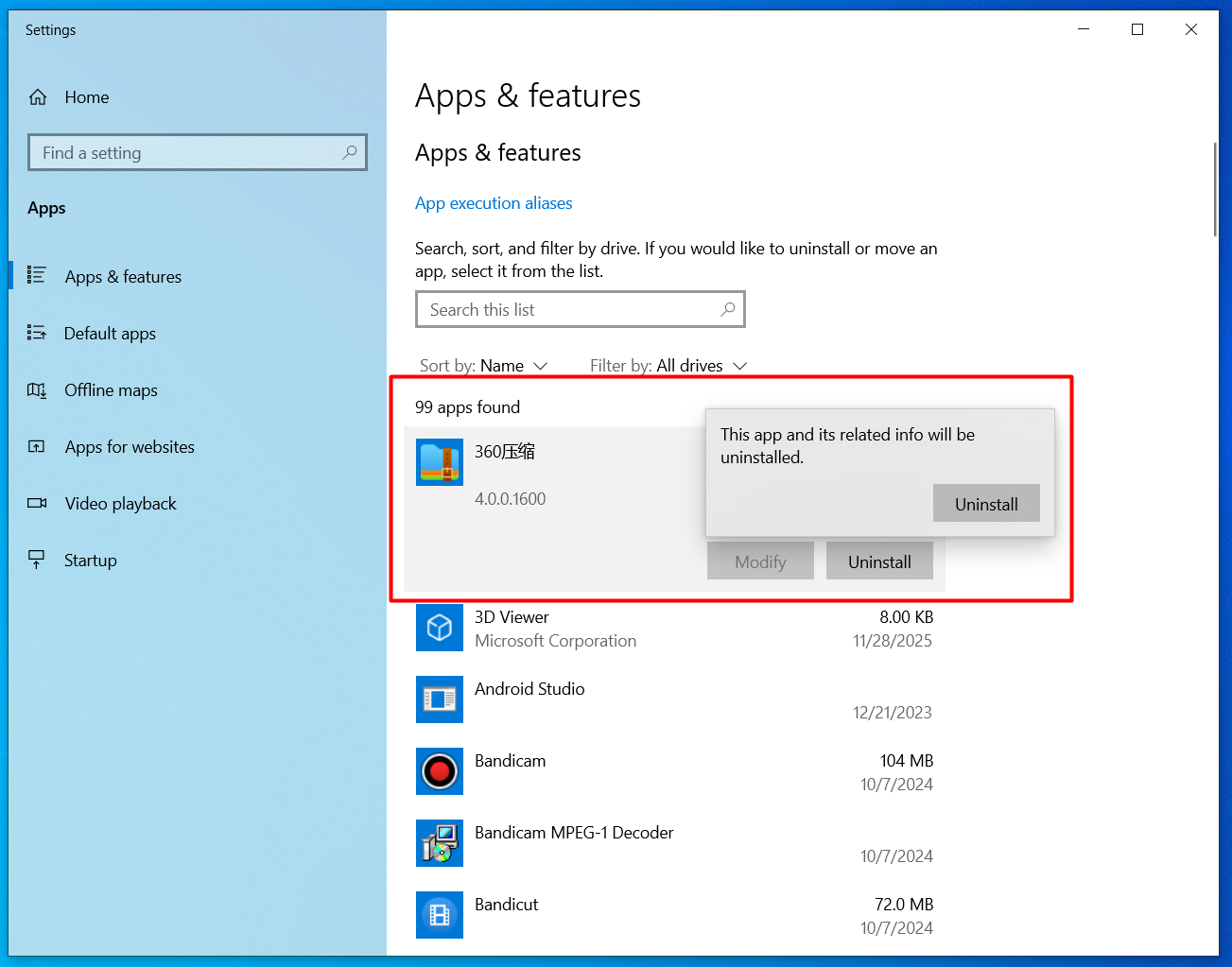
Select any application and click the Uninstall button to properly remove it from your system.