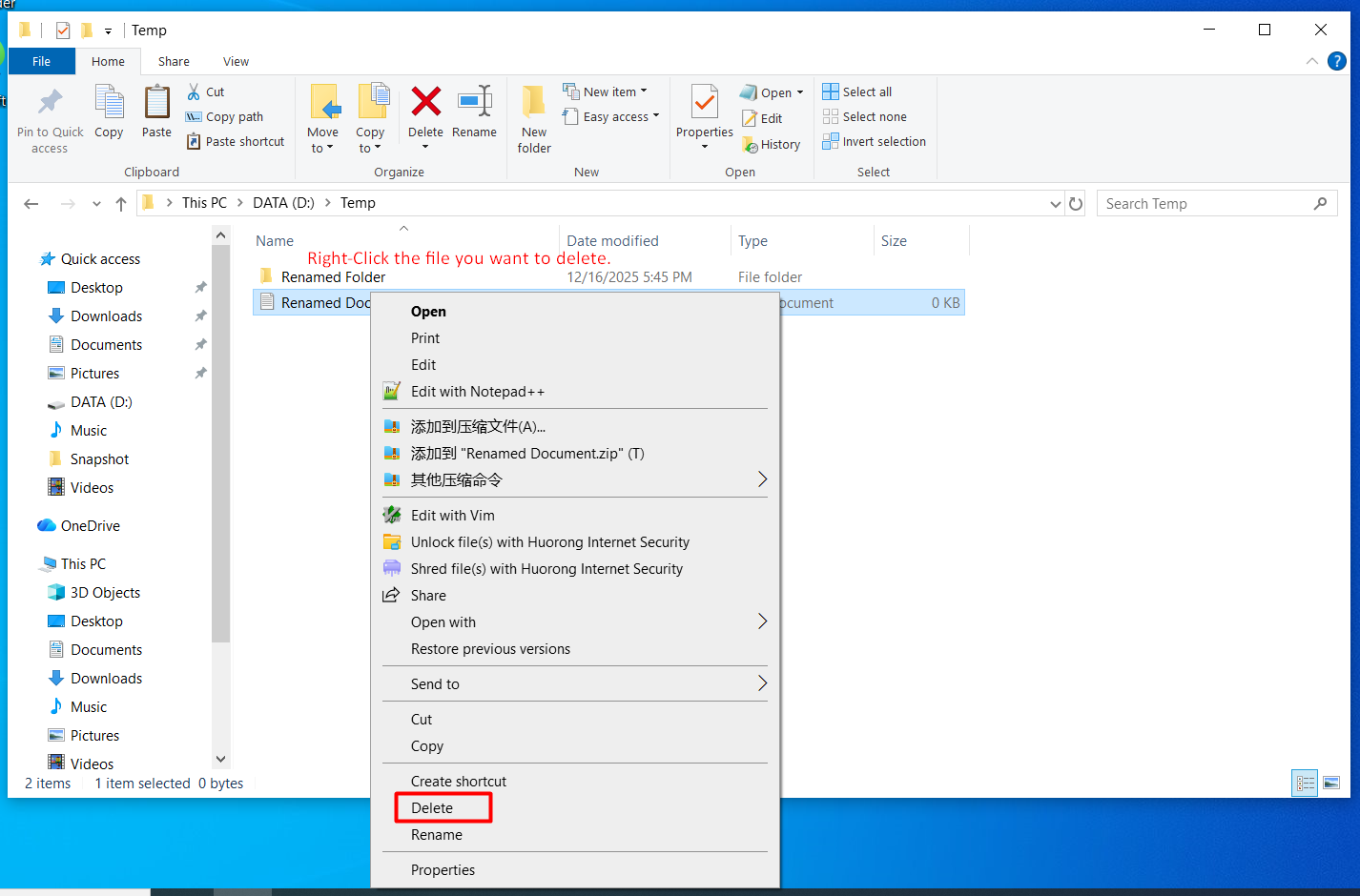
- Delete to Recycle Bin: Select the file and press the
Deletekey, or right-click and select "Delete." The file is not immediately gone; it moves to the Recycle Bin on the desktop. - Restore from Recycle Bin: Open the "Recycle Bin," find the file, right-click, and select "Restore." The file will return to its original location.
- Permanently Delete File: To free up disk space, right-click the Recycle Bin and select "Empty Recycle Bin." Warning: Files deleted this way are generally irretrievable without specialized software.
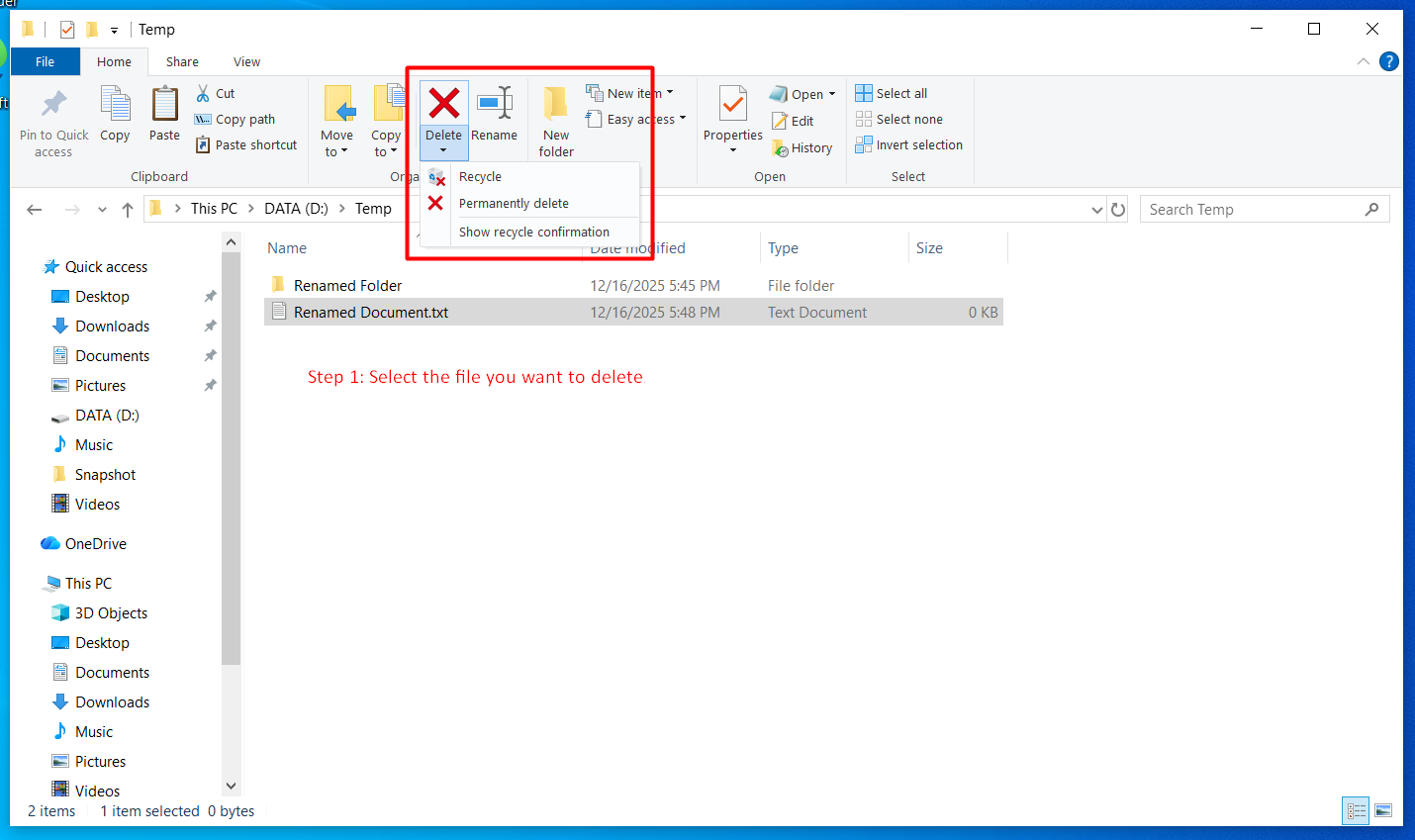
Select a file and use the Delete key or right-click "Delete" to send it to the Recycle Bin.
You can also click the Delete button in the File Explorer ribbon to move items to the Recycle Bin.
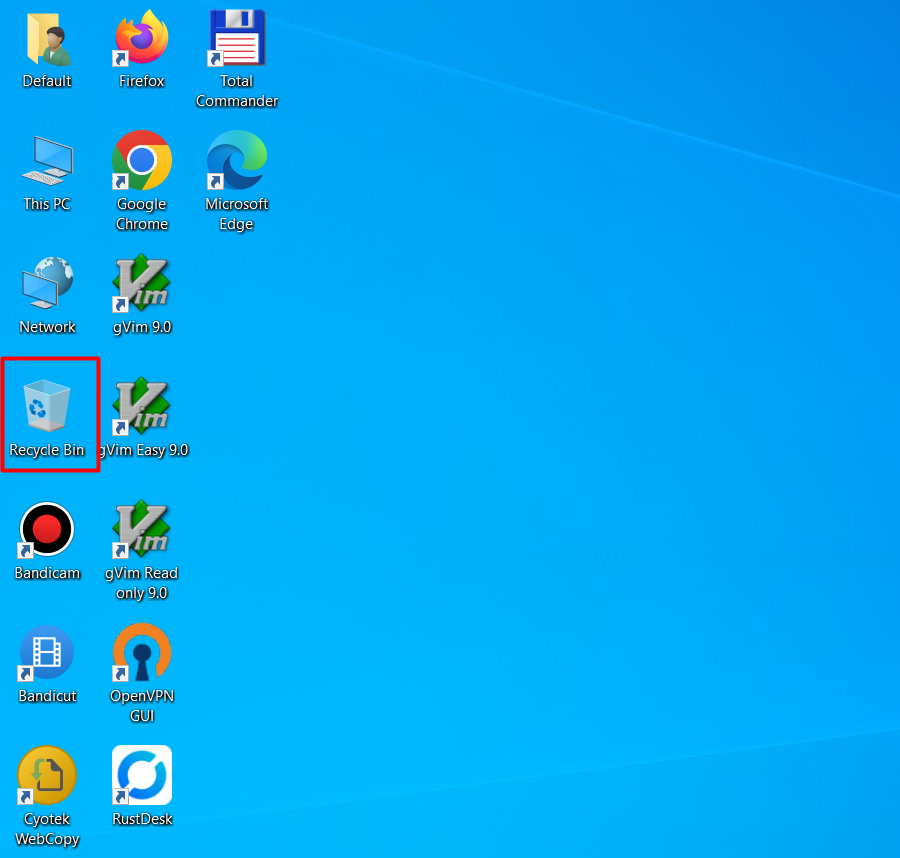
Open the Recycle Bin from the desktop to review recently deleted files.
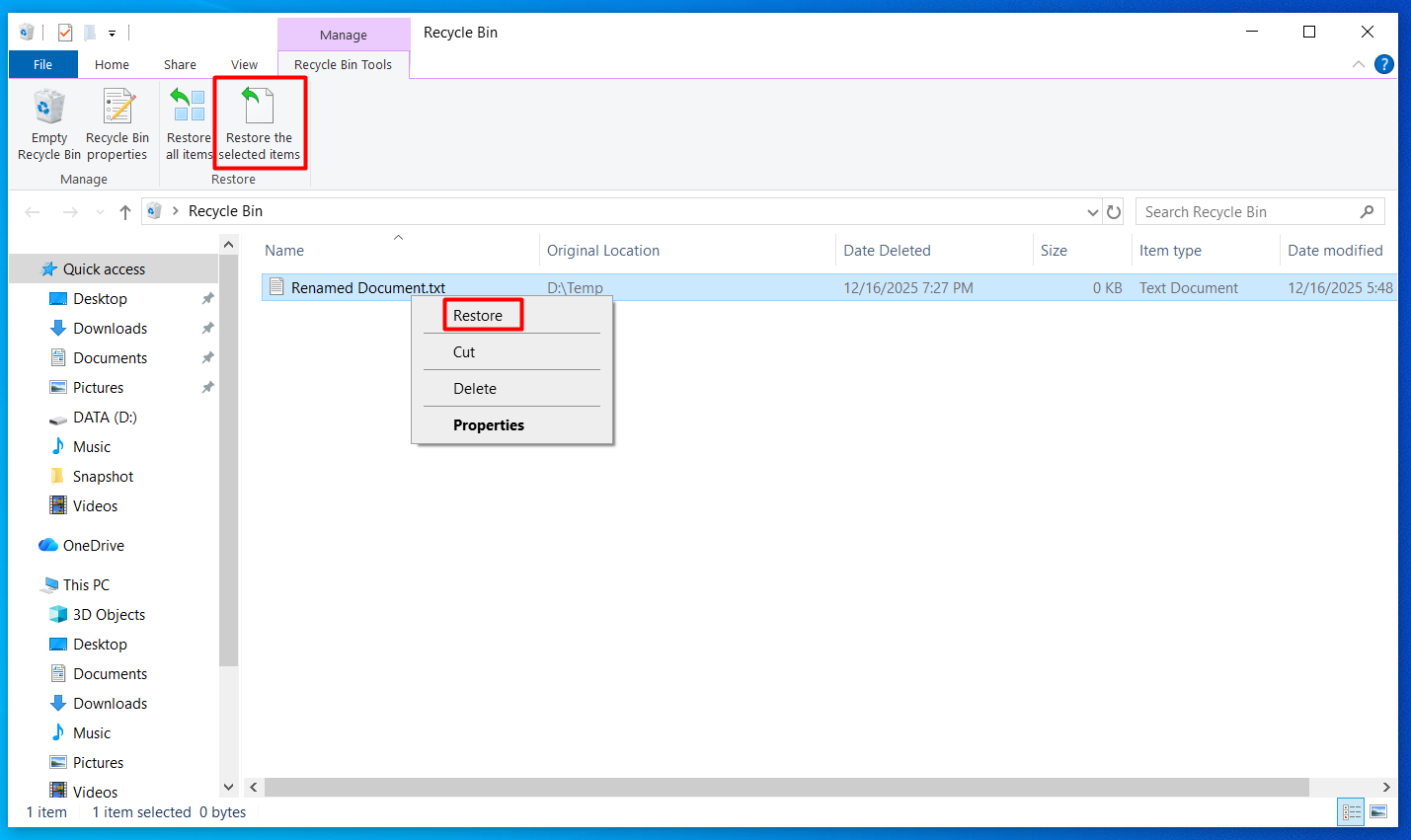
Right-click a file in the Recycle Bin and choose "Restore" to send it back to its original location.
> Critical Note: Within the C: drive, especially in system folders like Windows and Program Files, do not delete any files or folders you do not recognize, as this can lead to system instability or crashes.