- Function: Giving a file or folder a clear, memorable name.
- Action: Select the item, then press the
F2key, or right-click and select "Rename." - Warning: File extensions (e.g.,
.txt,.jpg,.pdf) are the letters after the last dot in the filename. DO NOT change or delete the file extension, as this may render the file unusable by the system.
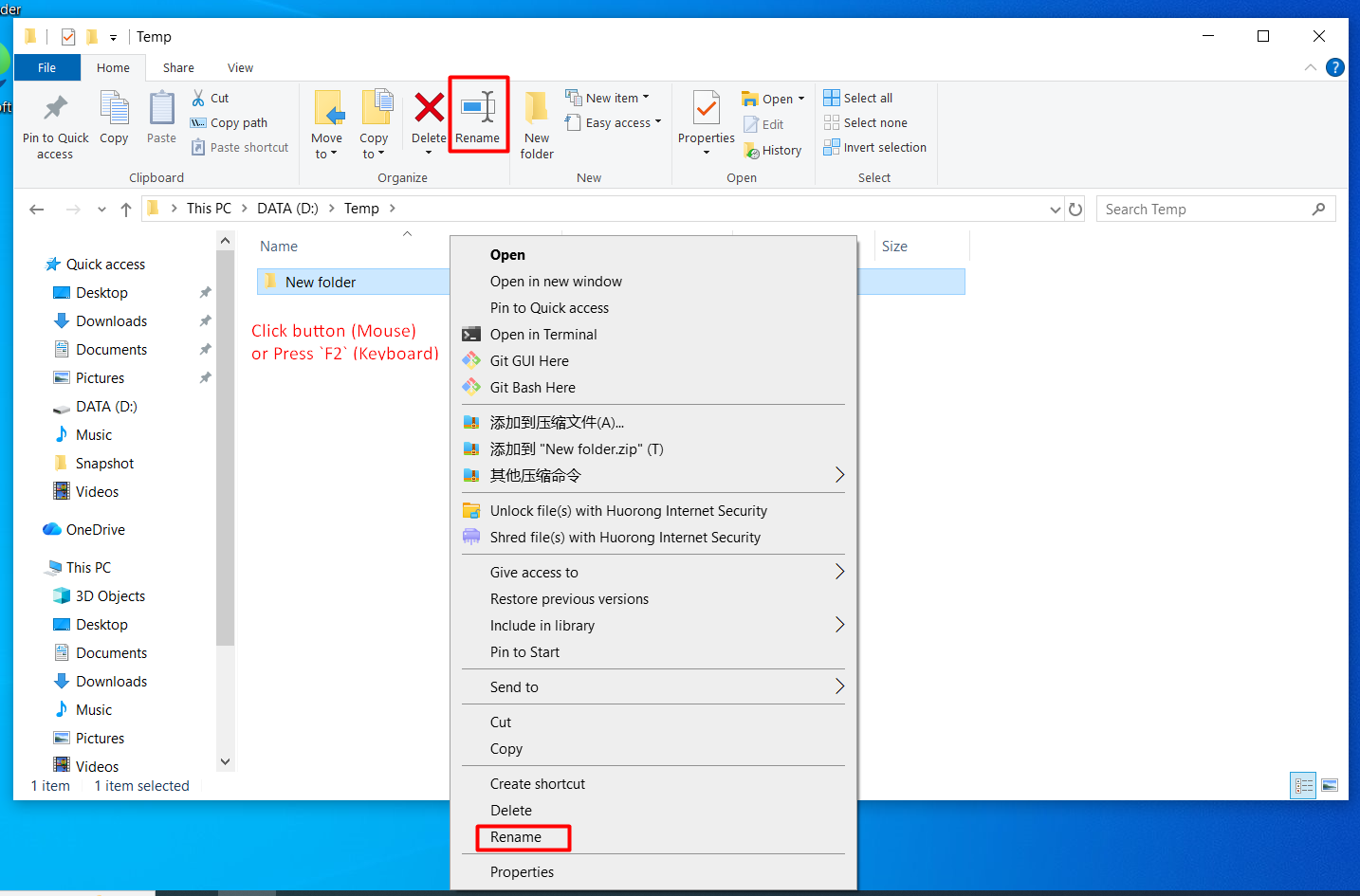
Right-click the file or folder and choose "Rename" (or press F2) to start renaming.
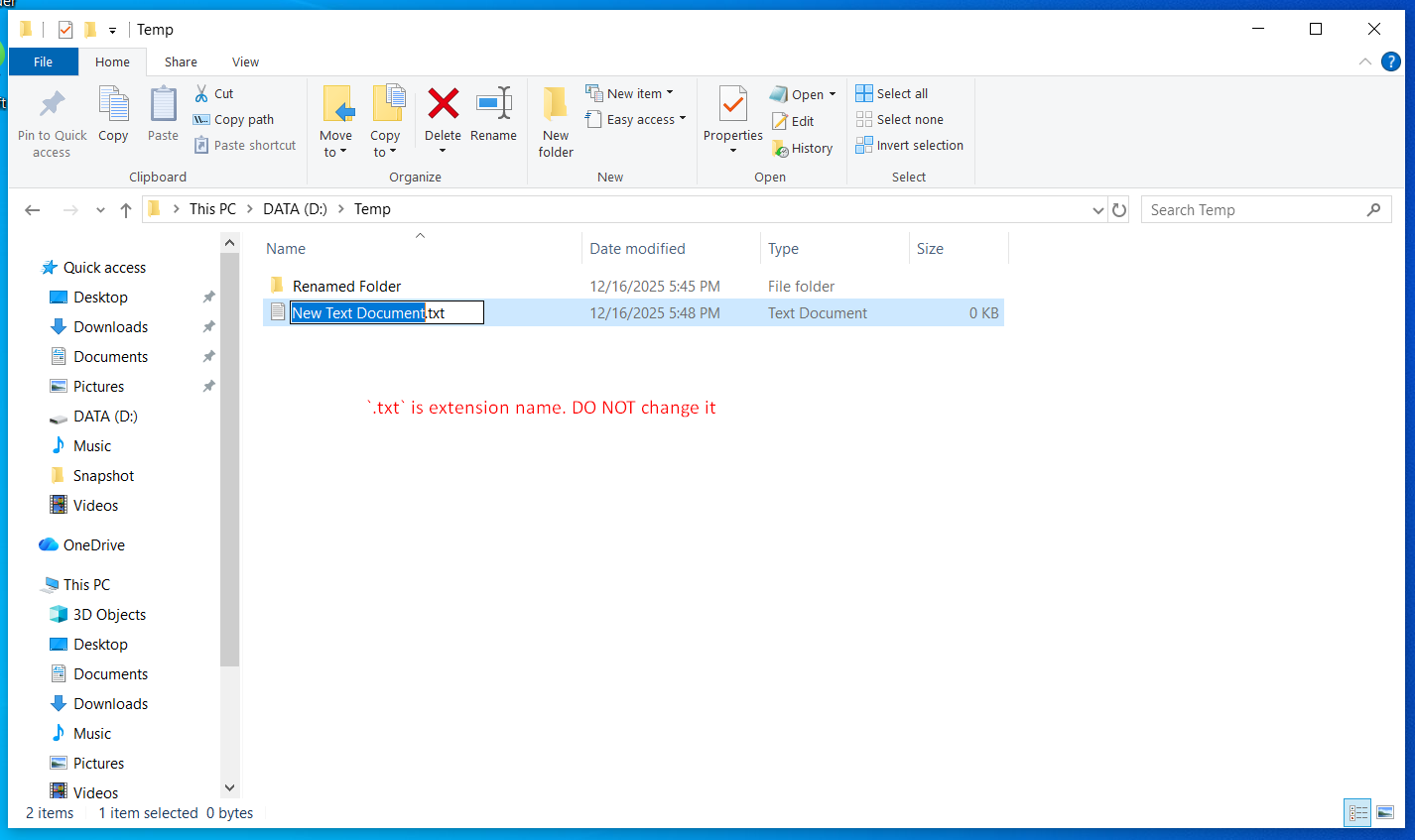
Type the new name carefully and keep the file extension unchanged, then press Enter to confirm.