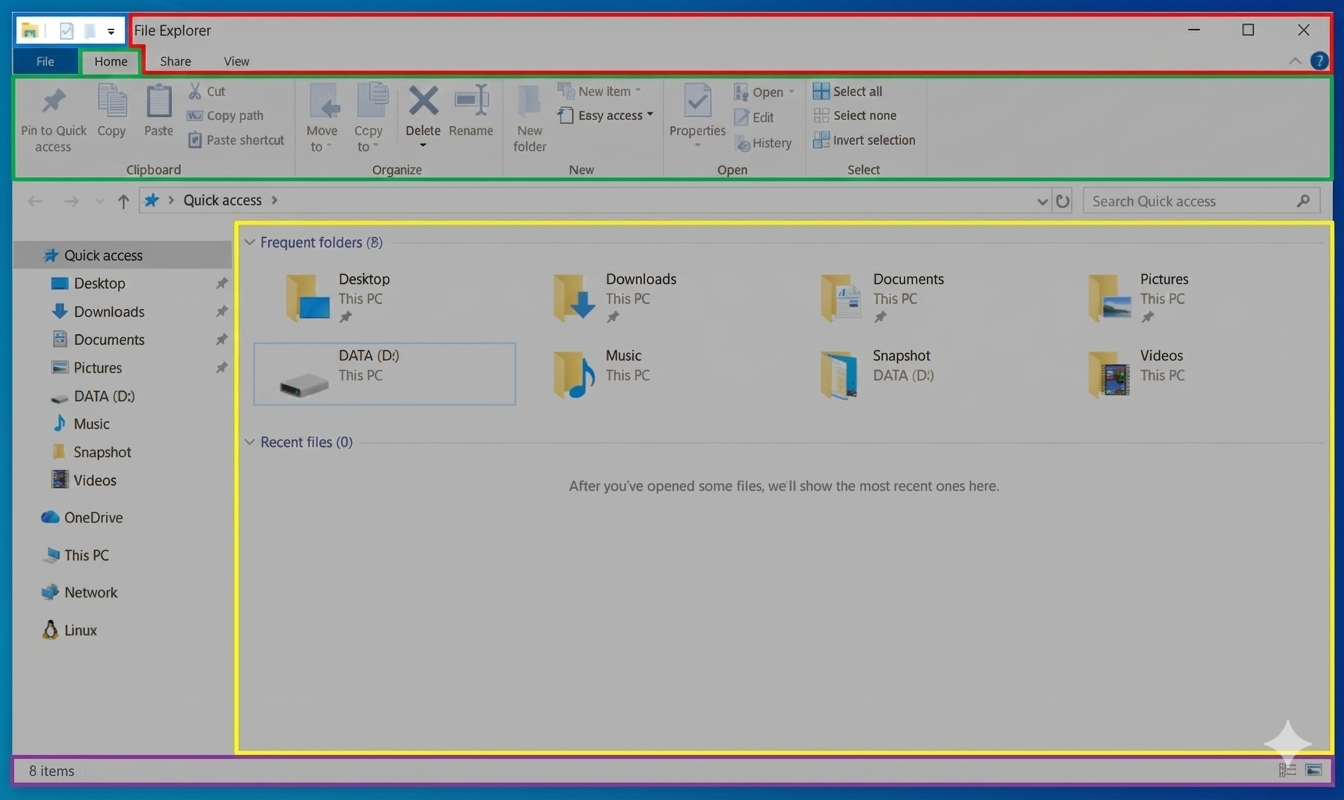
Title Bar: Shows the name of the folder currently open. Contains the control buttons: Minimize (-), Maximize/Restore Down (□), and Close (×).
Menu Bar (Ribbon): The primary "Function Area." It has tabs like "Home," "Share," and "View," which, when clicked, reveal groups of tools (e.g., options to show hidden files, change icon sizes).
Toolbar: Located below the Menu Bar, comprising the Address Bar (showing the current file path) and the Search Bar.
Working Area (File List): The largest central area, which displays all files and subfolders within the current location.
Status Bar: A thin strip at the very bottom, providing quick information like the number of items in the folder and the size of the currently selected file.
A typical application window includes the title bar, ribbon/menu, address and search bars, working area, and a status bar at the bottom.